
22bet app: how to download the APK and use it on iPhone
On Android, the 22bet app downloads from the app page of the official site: tap the download button, then the Android button, and allow unknown sources. On iPhone you add the installable web version with the share button and add to home screen. You log in with your usual account, and the app has a monthly bonus for active users.
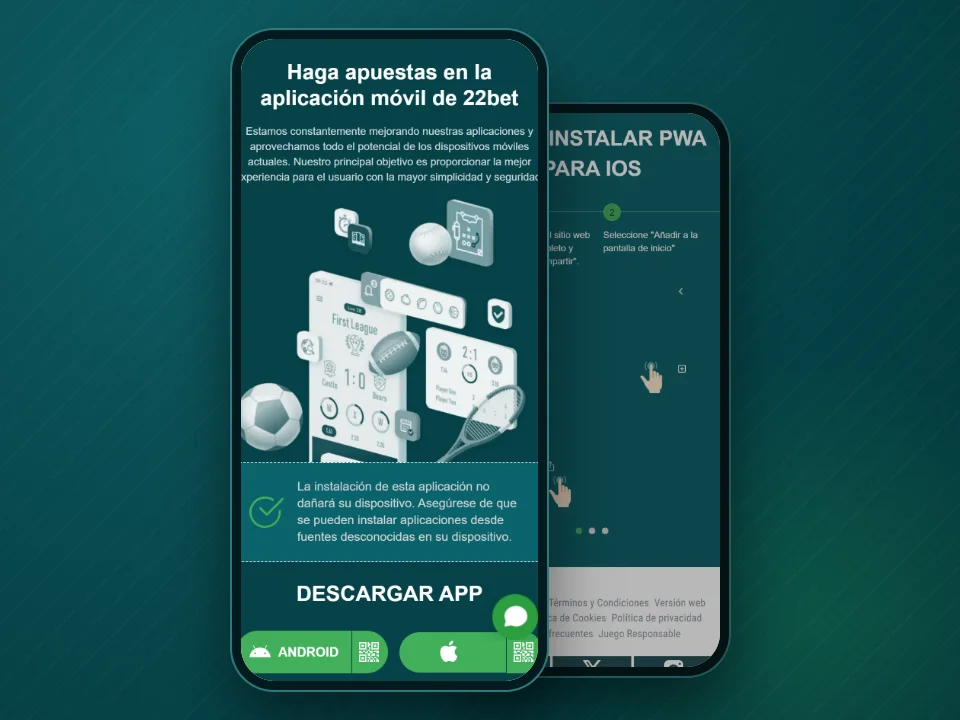
| Android | App that downloads from the official site (download button, then the Android button) |
|---|---|
| Permission | Allow installation from unknown sources |
| iPhone | Installable web version (PWA): share button, then add to home screen |
| PWA on Android | Browser menu, then add to home screen |
| Account | The same one you use on the site |
| App bonus | Monthly bonus for staying active in the app |
| Browser | Mobile version with nothing to install; a link to switch to the desktop view |
| Where to download | Only from the app section of the official site |
Contents
How do you download the 22bet app on Android?
The Android app is not in a store: it downloads from a page of the official site itself. The process takes a few minutes, and it helps to have a good connection and some spare space on your phone.
- Open the official site on your phone. Use the button on this page to open the official 22bet site from your phone.
- Go to the app page. Find the mobile app page of the official site.
- Tap the Android button below the download button.
- If your phone asks, allow apps to be installed from unknown sources.
- Install the file. Open the downloaded file and install it.
- Open the app and log in with your 22bet account.
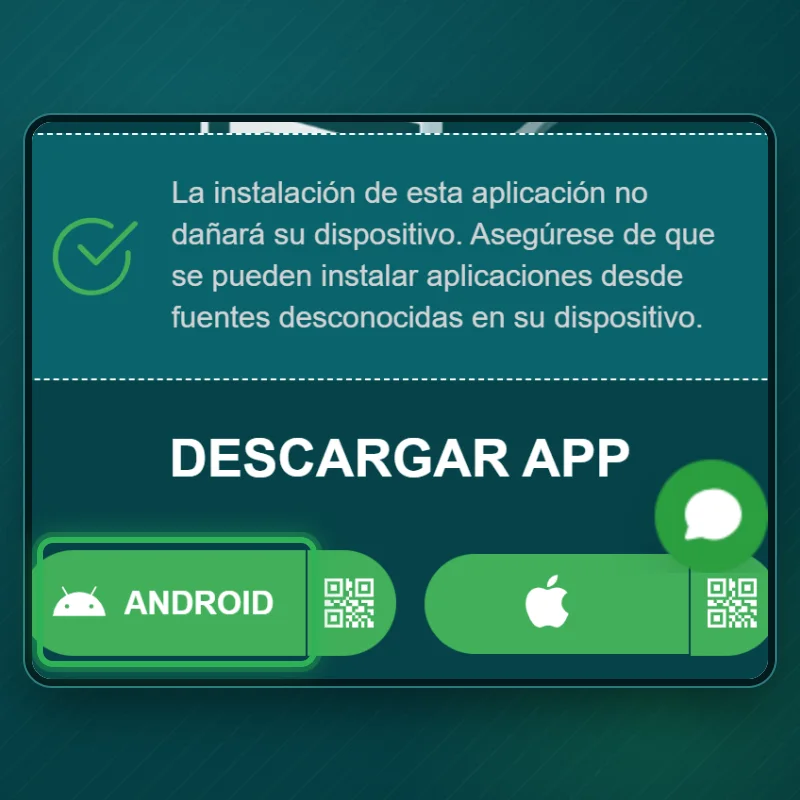
The app downloads from the official 22bet site.
Download the 22bet appWhat is an APK and why does it ask for permission?
An APK is the installation file of an Android app. Because the 22bet app installs from the official site and not from a store, Android asks for the unknown sources permission.
Allow it only for this installation. Do not install 22bet files that reach you from other sites or in messages: the only download that counts is the one on the app page of the official site.
Installable web version (PWA) on Android
If you would rather not download a file, you can add 22bet to your home screen as an installable web version. Wait for the site to finish loading, open the browser menu and choose to add it to the home screen. The new icon opens 22bet like an app.
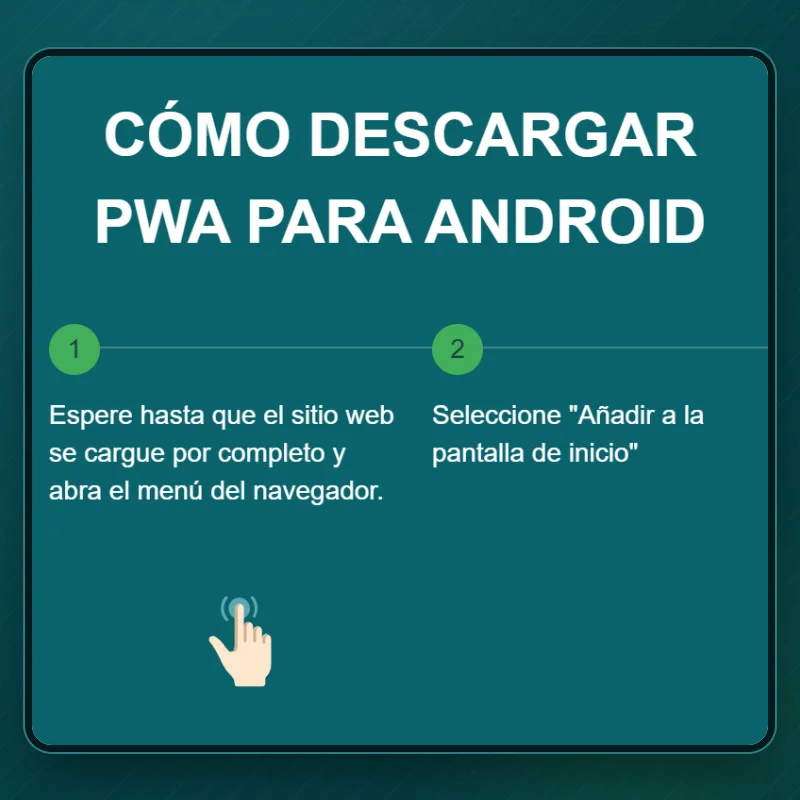
22bet on iPhone: installable web version
On iPhone you use the installable web version. Wait for the site to load in Safari, tap the share button and then add to home screen. The new icon opens 22bet like an app.
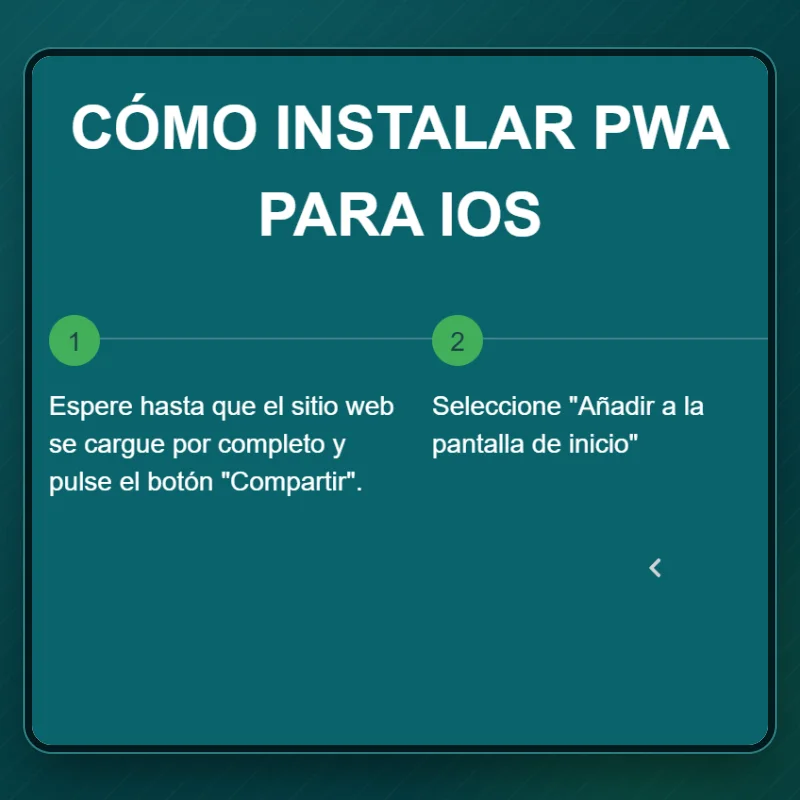
Exclusive bonus for app users
The app has a monthly bonus for active users. The conditions are on its card, in the list of bonuses and prizes. Amounts and limits depend on the currency of your account.
If you do not have an account yet, you choose the welcome bonus in the sign-up form. The other promotions are on the page about 22bet bonuses.
App, web version or browser: the differences
There are three ways to use 22bet on your phone, and each one suits something different. None of them makes you create another account, and you can switch between them whenever you like.
| Option | Device | How to install | Advantage |
|---|---|---|---|
| App (APK) | Android | Android button and the unknown sources permission | Its own icon; the app bonus is for people who use it |
| PWA | Android and iPhone | Add to home screen | There is no file to download |
| Browser | Any phone or computer | Nothing to install | Instant access; desktop view through the web version link |
Sign-up and login from your phone
All three sign-up methods work from your phone: the full form, phone with SMS, and social media and messengers. The guide to 22bet registration explains each one.
The login details are the same in the app and in the browser. If you use someone else's phone or a shared one, log out when you finish. For the login route, see how to log in to 22bet.
Installation problems and how to fix them
Almost every problem comes down to phone permissions or the connection. This table collects the most common ones.
| Problem | What to do |
|---|---|
| The phone blocks the installation | Allow unknown sources for this installation only. |
| The download does not start | Check your connection and storage space, then download again from the app page. |
| On iPhone the add to home screen option is missing | Open the site in Safari and use the share button. |
| The app asks for details | They are your account details. If you cannot remember them, see logging in to 22bet. |
Frequently asked questions
Does 22bet have an app for Android?
Yes. The Android app downloads from the mobile app page of the official 22bet site, with the download button and then the Android button. It is an APK file, which is why your phone asks you to allow installation from unknown sources.
How do I install 22bet on an iPhone?
On iPhone you use the installable web version (PWA). Open the site in Safari, wait for it to load, tap the share button and then add to home screen. An icon is created that opens 22bet like an app.
Is it safe to install the 22bet APK?
It is if you download it only from the app page of the official 22bet site. Android asks for the unknown sources permission because the file does not come from a store. Do not install 22bet files that reach you from other sites or in messages.
What is the 22bet PWA version?
It is a web version that you add to your home screen and open like an app, without downloading a file. On Android you install it from the browser menu and on iPhone with the share button. Wait for the site to load completely.
Does the 22bet app have its own bonus?
Yes. 22bet has a monthly bonus for staying active in the app. The conditions are on its card in the bonus list, and amounts and limits depend on the currency of your account.
Do I need another account to use the 22bet app?
No. The account is the same one you use on the site, with the same login details in the app and in the browser. If you do not have an account yet, you can sign up from your phone with any of the three methods.
The app downloads from the official 22bet site.
Download the 22bet app