
22bet registration: create your account step by step
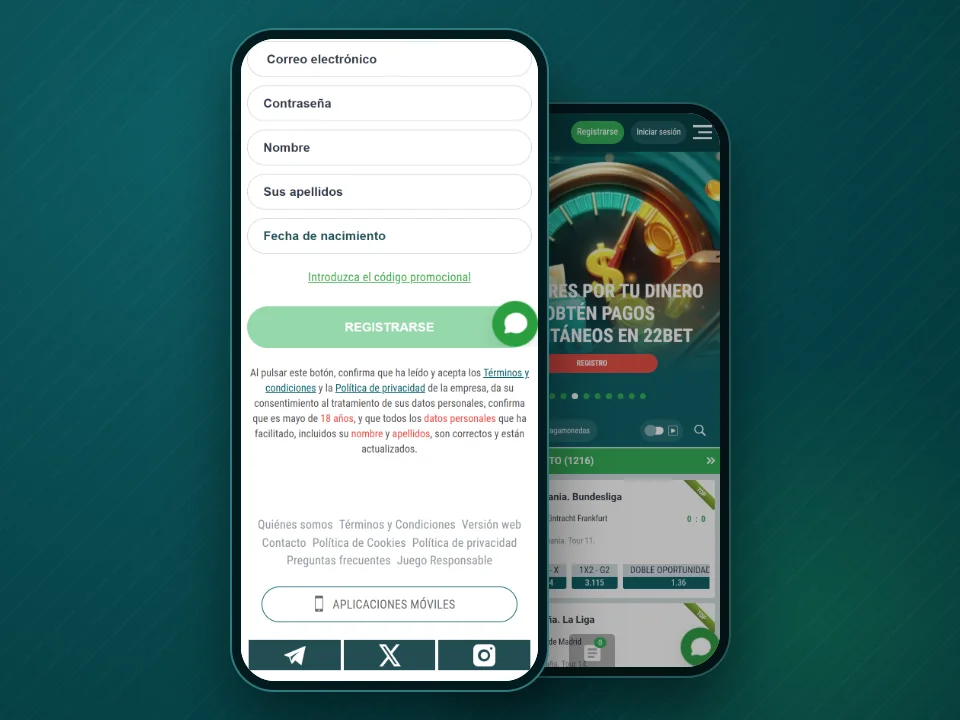
For 22bet registration, tap sign up and choose the full form (e-mail, password, name and date of birth), sign-up by phone (your number with the country prefix, an SMS code and a password) or social media and messengers. You pick your country and currency in the form. The promo code is optional.
| Sign-up methods | Full form, phone, social media and messengers |
|---|---|
| Country and currency | Chosen in the form |
| Full form | E-mail, password, first name, last name and date of birth |
| By phone | Number with the country prefix, SMS code and password |
| Social media | The login icons and the account you choose |
| Promo code | Optional link in all three forms |
| Bonus | Selector at the top of the form; the sports welcome bonus by default |
| Declaration | Terms and privacy policy accepted, consent and legal age (18+) |
| Verification | Photo ID, proof of payment and proof of address less than 3 months old |
Contents
22bet registration in 4 steps
Creating the account takes a few minutes and works on a phone or a computer. Keep your e-mail or your phone number to hand, and an ID document for the verification that comes later.
Tap sign up
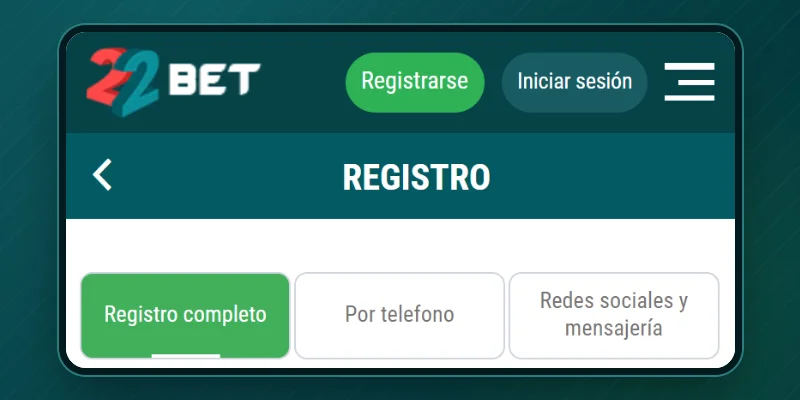
Open the official 22bet site and tap sign up. It is the green button in the top right corner, next to the login button that you use once you already have an account.
Choose how to sign up
The form has three tabs: the full form, sign-up by phone and sign-up with social media and messengers. Each one asks for different details, but all three end in the same account, in the currency you choose, ready for the casino and sports betting.
Fill in your details
The fields depend on the tab you chose. On all of them you pick your country and the currency of your account in the form.
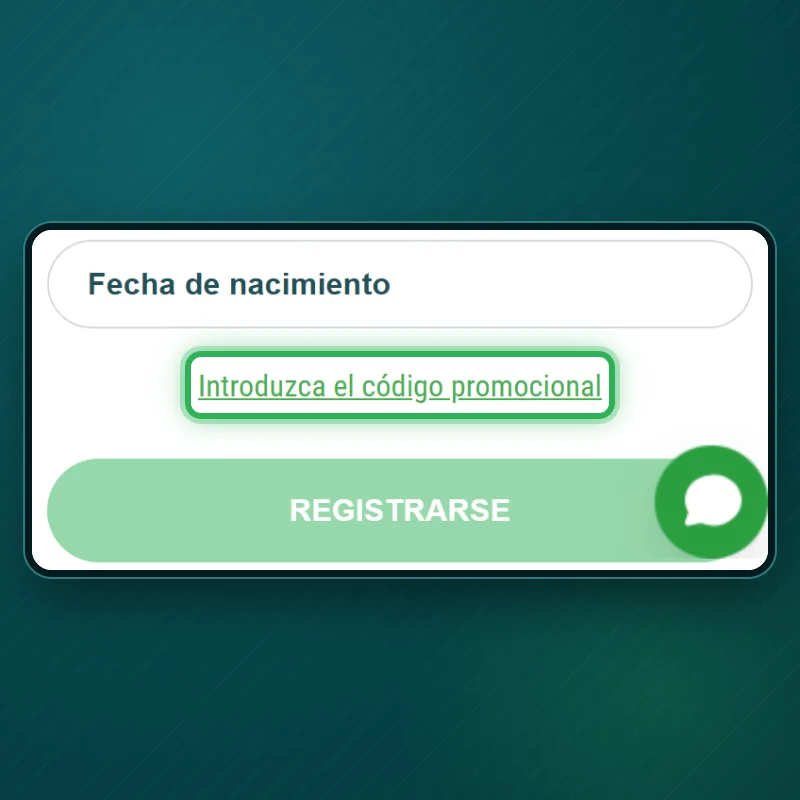
At the top of the form there is a bonus selector. By default it shows the sports welcome bonus; the details are in the guide to 22bet bonuses. If you have a code, tap the promo-code link and type it; if not, leave it empty, because it is optional. More about the code in where to enter the promo code. Maximums and minimum deposits of the bonuses depend on the currency of your account.
Confirm
Before you confirm, read the declaration shown under the form. By confirming you state that you have read and accept the Terms and Conditions and the Privacy Policy, that you consent to the processing of your data, that you are 18 or older and that the details you entered are correct and up to date.
Sign-up takes place on the official 22bet site.
Sign up at 22betSign-up by phone with SMS
The phone tab is useful if you prefer to sign up with your number rather than an e-mail. You enter your number with your country prefix.
Type your number and tap the button that sends the SMS. You receive a message with a code: type it in the confirmation code field and tap confirm. Then choose the currency and create your password. The promo code is optional on this tab too.
Use a number that is active and that you can reach, because the SMS is what confirms the sign-up.
Sign-up with social media and messengers
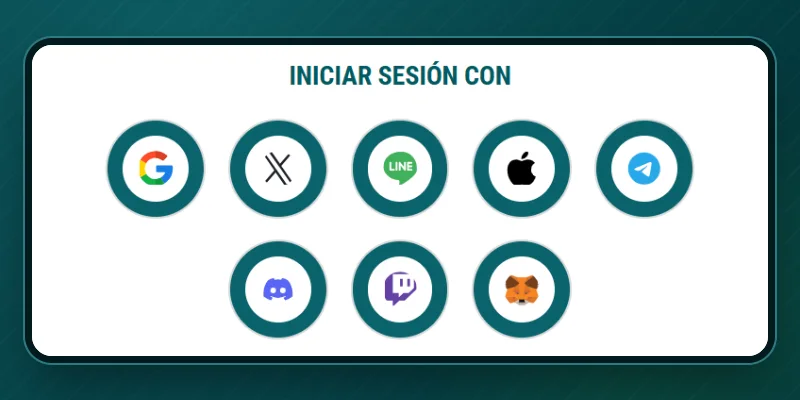
The social tab lets you create the account with an account you already have. Icons for the available accounts appear under the login-with heading; tap the one you want to use and follow the steps it gives you.
Then you choose your country and currency, and you can add a promo code if you have one. You do not need to create a new password on this tab.
Which sign-up method suits you?
The three options lead to the same account. The difference is in what each one asks for and in how you log in afterwards.
| Method | What it asks for | What you log in with | Best if… |
|---|---|---|---|
| Full form | E-mail, password, first name, last name and date of birth | E-mail and password | You want a complete profile from the start, which the bonuses ask for |
| By phone | Number with the country prefix, SMS code and password | Number and password | You prefer to use your phone |
| Social media and messengers | A social or messenger account | The same account | You do not want another password |
If you later cannot remember which one you used, the guide to logging in to 22bet shows which details to use in each case.
After sign-up: profile and phone
Once the account is created, complete your profile in your account. The welcome bonuses ask for it, and the casino package also needs your phone to be activated.
The sports bonus is one per client and does not apply to crypto accounts. If you do not want bonuses, there is a box in the form to decline them. The conditions of each offer are in the bonus guide.
Account verification (KYC)
Before you withdraw money, 22bet may ask you to verify your identity. There are three documents: a photo of your ID, a proof of payment and a proof of address less than 3 months old.
Verification can take up to 72 hours after you send the last document. For large amounts there may be additional checks.
The details you entered in the form have to match those on your documents. That is why it helps to write your first name, last name and date of birth exactly as they appear on the document. The rest of the cash-out route is in the deposits and withdrawals section.
Common sign-up problems
| Problem | What to do |
|---|---|
| The SMS does not arrive | Check that the number includes your country prefix and that you have signal; wait a few minutes and try again |
| The e-mail is already registered | You already have an account: log in |
| The social account does not connect | Use the full form or the phone sign-up |
| Your currency does not show | Check that the country you selected is the right one |
| The promo code is not accepted | Make sure it is typed exactly as you received it, with no extra spaces |
If the problem continues, write to the live chat, which is open 24 hours a day. Never send your password or the codes that arrive by SMS.
Frequently asked questions
What details does 22bet ask for when you sign up?
It depends on the tab. The full form asks for e-mail, password, first name, last name and date of birth. By phone it asks for your number with the country prefix, an SMS code and a password. With social media and messengers you use an account you already have.
Can I sign up at 22bet from a computer?
Yes. The form works on a phone and on a computer, with the same three tabs and the same details. On a phone the mobile version opens, and a link takes you to the desktop view if you prefer it.
What is the bonus selector in the sign-up form?
It is a selector at the top of the form that shows the welcome offer you are signing up with. By default it shows the sports welcome bonus. The conditions of each offer are in the bonus guide.
Do I have to verify my identity at 22bet?
Yes, verification may be requested before you withdraw. You send a photo of your ID, a proof of payment and a proof of address less than 3 months old. It can take up to 72 hours after the last document.
What happens if my details do not match my document?
Verification asks for a photo of your ID, so the details from sign-up have to match it. If you entered something different, write to the live chat to ask how to correct it before you send the documents.
What is the minimum age to sign up at 22bet?
18. By tapping the confirm button you state that you are of legal age, that you accept the Terms and the privacy policy and that your details are correct. The photo of your ID is used to check your age.
Sign-up takes place on the official 22bet site.
Sign up at 22bet